Pricing

YouTube captures in one click

Capture thinking where it happens — then move it forward.

See play record replay in one surface
Start capturing

Learn on YouTube · Improve with YouC

Practice loop

Problem

  • Watch and lose it — Tabs close and the insight fades without a return path.
  • Bookmarks without context — A saved URL does not carry what you meant at that second.
  • Ideas stuck in the player — Without capture, thinking never reaches notes, tasks, or teammates.

Solution

  • Capture beside the video — One gesture keeps you in flow while the frame is still hot.
  • Timestamp the thought — Voice + second anchor so your future self reopens understanding.
  • Return anywhere — Paste a link into Slack, email, or Calendar with proof attached.
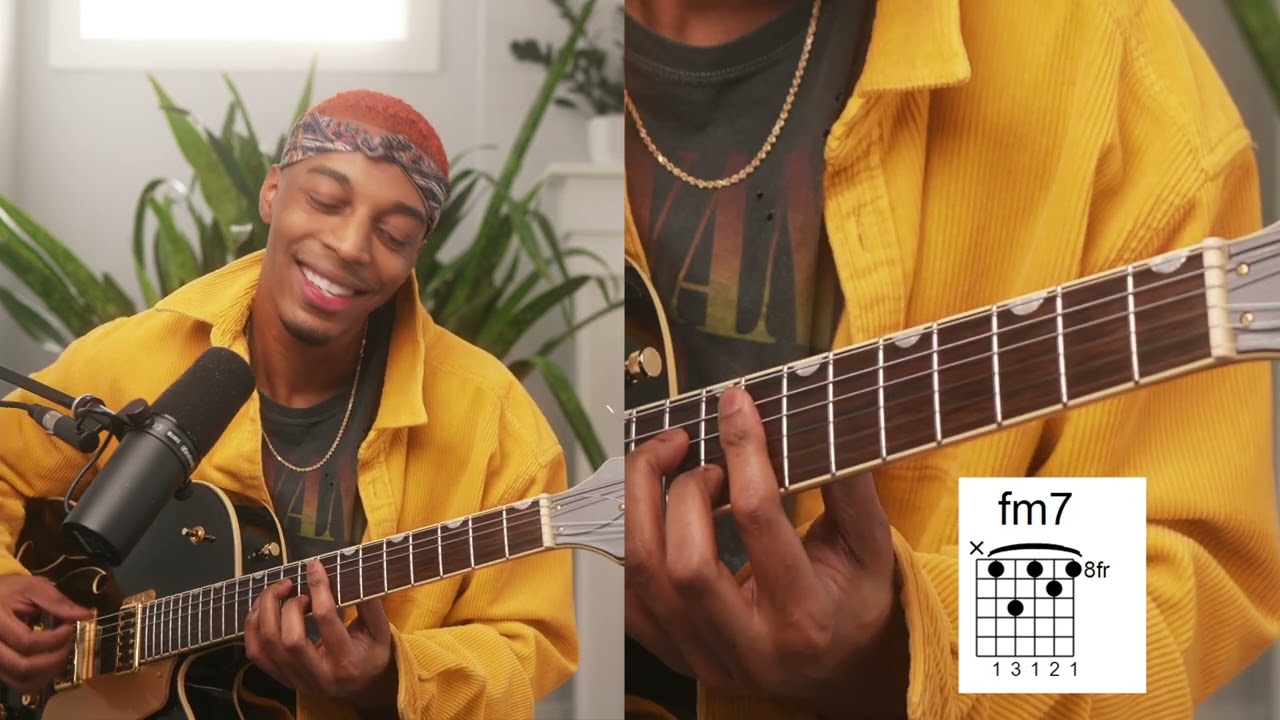
Replay again after one pass
Start capturing

Find your next practice path on YouTube

Search a workflow or topic—results open as YouTube searches with intent. Paste a watch URL anywhere on this site (outside a text field) to jump straight into YouC.

Examples rotate in the field: Search Cursor agent workflows, Search MCP servers, and similar topics. Type your own AI tool or workflow.

Search Cursor memory workflowsSearch Cursor agent workflows
·········
Also used for:···

Start with a practice path

Open full YouC Search

Details

Why capture while you watch

When you learn on YouTube, the hardest part is not watching—it is keeping the insight after the tab closes. YouC treats the player as a first-class workspace: you stay on the video, capture in one gesture, and leave with a return link that preserves both the second and the spoken thought.

How captures differ from bookmarks

Bookmarks lose the exact frame and the why. YouC preserves the second and the spoken context so you reopen understanding, not guesswork. That link is built for humans first, so teammates can reopen the moment without installing anything just to understand what you meant.

Turn watching into progress

Over time, those captures become a searchable trail of decisions: what you believed, when you believed it, and which frame convinced you. The workflow stays lightweight because it mirrors how thinking already happens—fast, interruptible, and deeply tied to motion on screen.

FAQ

What gets saved?
You save the moment on the timeline plus your voice note so the return link carries both the second and the thought you had there.
How is this different from bookmarks?
Bookmarks lose the exact frame and the why. YouC preserves the second and the spoken context so you reopen understanding, not guesswork.

Related searches

  • how to save youtube timestamps
  • capture ideas while watching videos
  • add events quickly to google calendar
  • turn youtube ideas into tasks
  • practice spanish with youtube
  • practice english with youtube
  • practice french with youtube
  • practice japanese with youtube
  • practice korean with youtube
  • learn cursor with youtube tutorials
  • learn chatgpt for coding on youtube
  • learn claude for developers youtube
  • learn supabase with youtube
  • react youtube tutorials practice
  • practice bubble io on youtube
  • practice figma with youtube
  • practice affinity designer on youtube
  • practice premiere pro on youtube
  • practice affirmations on youtube
  • practice software on youtube with loops
  • search practice prompts before youtube
  • who is youc for practice identities
Think on YouTube, then shape, share, and schedule the same idea across LinkedIn, Slack, and Google Calendar.

Actions+
  • Capture ideas from YouTube videos
  • Turn YouTube ideas into scheduled actions
Use cases+
  • Add events to Google Calendar
  • Save specific moments from videos
Workflows+
  • Add calendar events in seconds
Platform+
  • YouTube
  • LinkedIn
  • Slack
  • Google Calendar

Productivity Communication Ecosystem

YouC forYouTubeYouC forLinkedInYouC forSlackYouC forGoogle Cal

Pricing

Learn on YouTube, Work in Flow

Capture in Flow · Practice in the pause

ProductPracticeCreatorsTeamsResourcesCompany
Download for Chrome
Chrome

YouTube captures in one click

Capture thinking where it happens — then move it forward.

See play record replay in one surface
Start capturing

Learn on YouTube · Improve with YouC

Practice loop

Problem

  • Watch and lose it — Tabs close and the insight fades without a return path.
  • Bookmarks without context — A saved URL does not carry what you meant at that second.
  • Ideas stuck in the player — Without capture, thinking never reaches notes, tasks, or teammates.

Solution

  • Capture beside the video — One gesture keeps you in flow while the frame is still hot.
  • Timestamp the thought — Voice + second anchor so your future self reopens understanding.
  • Return anywhere — Paste a link into Slack, email, or Calendar with proof attached.
Replay again after one pass
Start capturing

Find your next practice path on YouTube

Search a workflow or topic—results open as YouTube searches with intent. Paste a watch URL anywhere on this site (outside a text field) to jump straight into YouC.

Examples rotate in the field: Search Cursor agent workflows, Search MCP servers, and similar topics. Type your own AI tool or workflow.

Search Cursor memory workflowsSearch Cursor agent workflows
·········
Also used for:···

Start with a practice path

Open full YouC Search

Details

Why capture while you watch

When you learn on YouTube, the hardest part is not watching—it is keeping the insight after the tab closes. YouC treats the player as a first-class workspace: you stay on the video, capture in one gesture, and leave with a return link that preserves both the second and the spoken thought.

How captures differ from bookmarks

Bookmarks lose the exact frame and the why. YouC preserves the second and the spoken context so you reopen understanding, not guesswork. That link is built for humans first, so teammates can reopen the moment without installing anything just to understand what you meant.

Turn watching into progress

Over time, those captures become a searchable trail of decisions: what you believed, when you believed it, and which frame convinced you. The workflow stays lightweight because it mirrors how thinking already happens—fast, interruptible, and deeply tied to motion on screen.

FAQ

What gets saved?
You save the moment on the timeline plus your voice note so the return link carries both the second and the thought you had there.
How is this different from bookmarks?
Bookmarks lose the exact frame and the why. YouC preserves the second and the spoken context so you reopen understanding, not guesswork.

Related searches

  • how to save youtube timestamps
  • capture ideas while watching videos
  • add events quickly to google calendar
  • turn youtube ideas into tasks
  • practice spanish with youtube
  • practice english with youtube
  • practice french with youtube
  • practice japanese with youtube
  • practice korean with youtube
  • learn cursor with youtube tutorials
  • learn chatgpt for coding on youtube
  • learn claude for developers youtube
  • learn supabase with youtube
  • react youtube tutorials practice
  • practice bubble io on youtube
  • practice figma with youtube
  • practice affinity designer on youtube
  • practice premiere pro on youtube
  • practice affirmations on youtube
  • practice software on youtube with loops
  • search practice prompts before youtube
  • who is youc for practice identities

Think on YouTube, then shape, share, and schedule the same idea across LinkedIn, Slack, and Google Calendar.

Actions+
  • Capture ideas from YouTube videos
  • Turn YouTube ideas into scheduled actions
Use cases+
  • Add events to Google Calendar
  • Save specific moments from videos
Workflows+
  • Add calendar events in seconds
Platform+
  • YouTube
  • LinkedIn
  • Slack
  • Google Calendar

Productivity Communication Ecosystem

YouC forYouTubeYouC forLinkedInYouC forSlackYouC forGoogle Cal

Product

  • Open YouC
  • Download for Chrome
  • Search
  • Practice
  • Updates

Practice

  • Coding & stack
  • Guitar
  • Piano
  • Meditation
  • Singing
  • Languages

Resources

  • Start Here
  • Docs
  • Positioning
  • Updates
  • Workflow Guides

Company

  • About
  • Contact
  • Privacy
  • Terms

Social

  • GitHub
  • X
  • YouTube
  • LinkedIn

© 2026 CalnFlow LLC.

YouCPro · GetYouC.com

Think on YouTube. Return anytime.