Pricing

Loop Premiere edits while you learn

Editing is rhythmic. YouC helps you replay the stretch where the timeline finally matched the tutorial—then save that moment before you lose it.

Primal Video — Premiere Pro beginner complete guide

Practice with this videoInstall YouC for ChromeCapture your first install

You already learn Premiere on YouTube. Return to exact timestamps, rehearse tricky cuts with short loops, and hear your own note about what changed in the sequence.

Shortcuts · Audio passes · Timeline reps beside the player

Editing rewards returns

Cuts are learned by repeating the awkward middle. YouC stores the middle where it belongs—on the timeline you were watching.

  • YouTube already hosts patient editors; you need memory tied to seconds.
  • Loops respect rhythm—repeat until the tool feels predictable.
  • Installs capture export settings and audio fixes you will reuse.
  • Voice keeps intent attached to the waveform or scope on screen.
  • Playback revives confidence before a client notes round.

Practice beside the tutorial

  • Last 30 sec loop

    Ideal for trim, ripple, and slip edits shown in quick succession.

  • Timestamped installs

    Mark when your sequence finally matches the teaching project.

  • Voice notes

    Record what you will reuse—preset names, frame rates, audio routing.

  • Playback

    Rehearse with your note before opening a new timeline.

  • Copy transcript

    Grab shortcut lists or export settings when spoken aloud.

  • Return to exact moments

    Resume long lessons without losing which chapter you practiced.

Second guide: workflow and export realism

Follow a different teacher when you want pacing variety. Capture the first clean export pass so you remember which preset matched your delivery target.
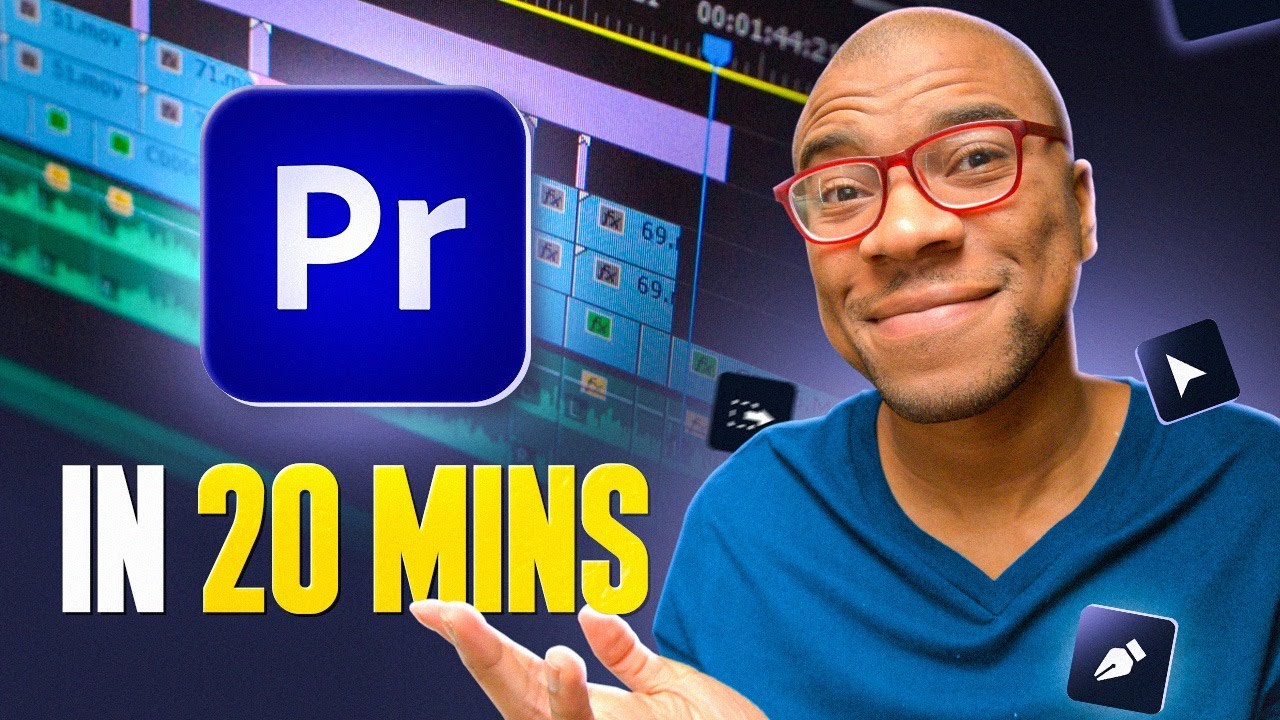
Alternate beginner workflow—capture export and organization habits.

Practice with this video

Suggested practice flow

Watch→Cut→Loop→Capture→Mix→Return

Small honest reps beat one passive watch of a long timeline demo.

Keep YouTube lessons close to the timeline

Capture timestamped notes from YouTube while you learn, return to the exact moment that clicked, and build workflow memory through installs, loops, and reps. Premiere tutorials often stack dozens of moves in a few minutes. Watching feels fluent; your timeline usually is not. The gap is repetition—you need another pass at the blade tool moment, the ripple edit nuance, or the audio gain fix, without restarting the whole video. YouC keeps YouTube in the practice posture. Loop the last thirty seconds while you match the instructor’s sequence. When your cut finally lands, capture a voice install that names what you changed—track height, linked selections, or a shortcut you will forget by tomorrow. That install is your receipt. Color and audio sections reward the same treatment. Capture when a waveform explanation clicks; loop when it does not. If you edit for clients, timestamped notes become a calm library of “how I learned this technique” instead of vague memory. This is not a course replacement. It is a return layer for people who already trust YouTube teachers and want the timeline to feel familiar faster. Practice, repetition, return, improvement—the same story as every other creative skill. You already learn on YouTube. YouC helps the useful seconds stay reachable.

Figma motion and layout practice on YouTube · Bubble builds when you mix product and media · Cursor workflows for creators who also code · Save exact tutorial moments · YouTube capture hub · Schedule editing time after a capture

FAQ

How do I practice Premiere tutorials without losing the moment?
Use short loops on the confusing segment, then capture when your timeline matches the example so you can reopen that second next session.
Does voice notes help for audio editing?
Yes—say what you changed in plain words while the waveform is on screen so playback still maps to controls.
Can I use this for color grading videos?
Absolutely—grading is full of small reversible moves. Loop until the scope readout matches what you expect.
Is YouC a video editor?
No—it stays beside YouTube so you can capture, loop, and return while Premiere stays your edit home.

Related searches

  • premiere pro tutorial practice loop
  • learn premiere pro youtube
  • timestamp video editing notes
  • plan editing sessions from youtube

Think on YouTube, then shape, share, and schedule the same idea across LinkedIn, Slack, and Google Calendar.

Actions+
  • Figma lessons with loop practice
  • Bubble builds when you ship product
Use cases+
  • Cursor for creator-developers
  • YouTube capture hub
Workflows+
  • Block editing time after a capture
Platform+
  • YouTube
  • LinkedIn
  • Slack
  • Google Calendar

Productivity Communication Ecosystem

YouC forYouTubeYouC forLinkedInYouC forSlackYouC forGoogle Cal

Pricing

Learn on YouTube, Work in Flow

Capture in Flow · Practice in the pause

ProductPracticeCreatorsTeamsResourcesCompany
Download for Chrome
Chrome

Loop Premiere edits while you learn

Editing is rhythmic. YouC helps you replay the stretch where the timeline finally matched the tutorial—then save that moment before you lose it.

Primal Video — Premiere Pro beginner complete guide

Practice with this videoInstall YouC for ChromeCapture your first install

You already learn Premiere on YouTube. Return to exact timestamps, rehearse tricky cuts with short loops, and hear your own note about what changed in the sequence.

Shortcuts · Audio passes · Timeline reps beside the player

Editing rewards returns

Cuts are learned by repeating the awkward middle. YouC stores the middle where it belongs—on the timeline you were watching.

  • YouTube already hosts patient editors; you need memory tied to seconds.
  • Loops respect rhythm—repeat until the tool feels predictable.
  • Installs capture export settings and audio fixes you will reuse.
  • Voice keeps intent attached to the waveform or scope on screen.
  • Playback revives confidence before a client notes round.

Practice beside the tutorial

  • Last 30 sec loop

    Ideal for trim, ripple, and slip edits shown in quick succession.

  • Timestamped installs

    Mark when your sequence finally matches the teaching project.

  • Voice notes

    Record what you will reuse—preset names, frame rates, audio routing.

  • Playback

    Rehearse with your note before opening a new timeline.

  • Copy transcript

    Grab shortcut lists or export settings when spoken aloud.

  • Return to exact moments

    Resume long lessons without losing which chapter you practiced.

Second guide: workflow and export realism

Follow a different teacher when you want pacing variety. Capture the first clean export pass so you remember which preset matched your delivery target.

Alternate beginner workflow—capture export and organization habits.

Practice with this video

Suggested practice flow

Watch→Cut→Loop→Capture→Mix→Return

Small honest reps beat one passive watch of a long timeline demo.

Keep YouTube lessons close to the timeline

Capture timestamped notes from YouTube while you learn, return to the exact moment that clicked, and build workflow memory through installs, loops, and reps. Premiere tutorials often stack dozens of moves in a few minutes. Watching feels fluent; your timeline usually is not. The gap is repetition—you need another pass at the blade tool moment, the ripple edit nuance, or the audio gain fix, without restarting the whole video. YouC keeps YouTube in the practice posture. Loop the last thirty seconds while you match the instructor’s sequence. When your cut finally lands, capture a voice install that names what you changed—track height, linked selections, or a shortcut you will forget by tomorrow. That install is your receipt. Color and audio sections reward the same treatment. Capture when a waveform explanation clicks; loop when it does not. If you edit for clients, timestamped notes become a calm library of “how I learned this technique” instead of vague memory. This is not a course replacement. It is a return layer for people who already trust YouTube teachers and want the timeline to feel familiar faster. Practice, repetition, return, improvement—the same story as every other creative skill. You already learn on YouTube. YouC helps the useful seconds stay reachable.

Figma motion and layout practice on YouTube · Bubble builds when you mix product and media · Cursor workflows for creators who also code · Save exact tutorial moments · YouTube capture hub · Schedule editing time after a capture

FAQ

How do I practice Premiere tutorials without losing the moment?
Use short loops on the confusing segment, then capture when your timeline matches the example so you can reopen that second next session.
Does voice notes help for audio editing?
Yes—say what you changed in plain words while the waveform is on screen so playback still maps to controls.
Can I use this for color grading videos?
Absolutely—grading is full of small reversible moves. Loop until the scope readout matches what you expect.
Is YouC a video editor?
No—it stays beside YouTube so you can capture, loop, and return while Premiere stays your edit home.
Related searches

  • premiere pro tutorial practice loop
  • learn premiere pro youtube
  • timestamp video editing notes
  • plan editing sessions from youtube

Think on YouTube, then shape, share, and schedule the same idea across LinkedIn, Slack, and Google Calendar.

Actions+
  • Figma lessons with loop practice
  • Bubble builds when you ship product
Use cases+
  • Cursor for creator-developers
  • YouTube capture hub
Workflows+
  • Block editing time after a capture
Platform+
  • YouTube
  • LinkedIn
  • Slack
  • Google Calendar

Productivity Communication Ecosystem

YouC forYouTubeYouC forLinkedInYouC forSlackYouC forGoogle Cal

Product

  • Open YouC
  • Download for Chrome
  • Search
  • Practice
  • Updates

Practice

  • Coding & stack
  • Guitar
  • Piano
  • Meditation
  • Singing
  • Languages

Resources

  • Start Here
  • Docs
  • Positioning
  • Updates
  • Workflow Guides

Company

  • About
  • Contact
  • Privacy
  • Terms

Social

  • GitHub
  • X
  • YouTube
  • LinkedIn

© 2026 CalnFlow LLC.

YouCPro · GetYouC.com

Think on YouTube. Return anytime.